[点晴永久免费OA]Nginx 配置 SSL
当前位置:点晴教程→点晴OA办公管理信息系统
→『 经验分享&问题答疑 』
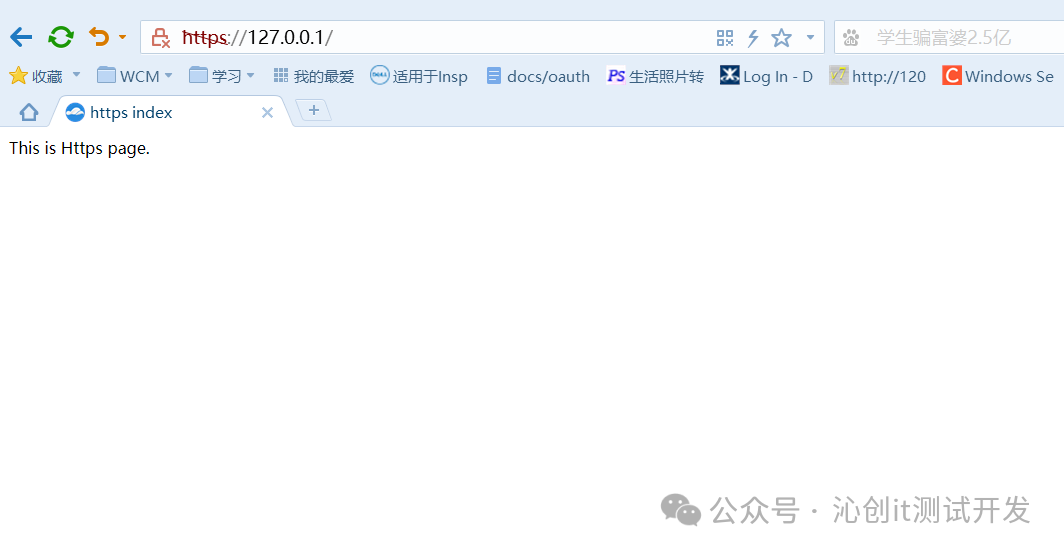
解决的漏洞漏洞清单: 1、未对重要数据进行加密传输。 问题分析: 系统在数据传输过程中未对敏感信息(如系统管理数据、鉴别信息和重要业务数据等)进行加密处理,敏感信息以明文方式传输。 环境验证NGINX配置ssl协议需要有--with-http_ssl_module模块,在配置前先确认nginx是否包含此模块。 1 [root@localhost web]# /web/nginx/sbin/nginx -V 2 nginx version: nginx/1.18.0 3 built by gcc 4.8.5 20150623 (Red Hat 4.8.5-44) (GCC) 4 configure arguments: --prefix=/web/nginx --with-poll_module --with-http_stub_status_module 如果没有这个模块需要对nginx进行重新编译添加该模块。 重新编译进入nginx安装源代码目录,重新编译文件,在原编译的参数上新增 --with-http_ssl_module。 编译完成后执行make参数,(注意:千万别 make install ,否则就覆盖安装了), make完之后在/usr/local/nginx-1.18.0/objs目录下就多了个nginx,这个就是新版本的程序了。 1 [root@localhost web]# cd /usr/local/nginx-1.18.0/ 2 [root@localhost nginx-1.18.0]# ./configure --prefix=/web/nginx --with-poll_module --with-http_stub_status_module --with-http_ssl_module --with-openssl=/usr/local/openssl-1.1.1f 执行备份、替换、验证备份 1 [root@localhost nginx-1.18.0]# cp /web/nginx/sbin/nginx /web/nginx/sbin/nginx1.80.bak 替换 1 [root@localhost nginx-1.18.0]# cp -rfp objs/nginx /web/nginx/sbin/nginx 验证 2 3 [root@localhost /]# /web/nginx/sbin/nginx -t 4 nginx: the configuration file /web/nginx/conf/nginx.conf syntax is ok 5 nginx: configuration file /web/nginx/conf/nginx.conf test is successful 6 7 #平滑重启 8 [root@localhost /]# /web/nginx/sbin/nginx -s reload 9 10 #查看验证 11 12 [root@localhost /]# /web/nginx/sbin/nginx -V 13 nginx version: nginx/1.18.0 14 built by gcc 4.8.5 20150623 (Red Hat 4.8.5-44) (GCC) 15 built with OpenSSL 1.1.1f 31 Mar 2020 16 TLS SNI support enabled 17 configure arguments: --prefix=/web/nginx --with-poll_module --with-http_stub_status_module --with-http_ssl_module --with-openssl=/usr/local/openssl-1.1.1 修改Nginx配置增加或将原 443 server 注释去除,按照以下方式配置: ssl_ciphers 中的算法可根据实际情况删减。 1 server { 2 3 listen 443 ssl; 4 server_name location; 5 #ssl on; 6 ssl_certificate server.pem; 7 ssl_certificate_key server.key; 8 ssl_session_cache shared:SSL:1m; 9 ssl_protocols TLSv1 TLSv1.1 TLSv1.2; 10 ssl_ciphers "ECDHE-RSA-AES256-GCM-SHA384:ECDHE-RSA-AES128-GCM-SHA256:DHE-RSA-AES256-GCM-SHA384:DHE-RSA-AES128-GCM-SHA256:ECDHE-RSA-AES256-SHA384:ECDHE-RSA-AES128-SHA256:ECDHE-RSA-AES256-SHA:ECDHE-RSA-AES128-SHA:DHE-RSA-AES256-SHA256:DHE-RSA-AES128-SHA256:DHE-RSA-AES256-SHA:DHE-RSA-AES128-SHA:ECDHE-RSA-DES-CBC3-SHA:EDH-RSA-DES-CBC3-SHA:AES256-GCM-SHA384:AES128-GCM-SHA256:AES256-SHA256:AES128-SHA256:AES256-SHA:AES128-SHA:DES-CBC3-SHA:HIGH:!aNULL:!eNULL:!EXPORT:!DES:!MD5:!PSK:!RC4"; 11 ssl_prefer_server_ciphers on; 12 13 add_header Set-Cookie "Secure"; 14 add_header Set-Cookie "HttpOnly"; 15 add_header X-Frame-Options "SAMEORIGIN"; 17 location / { 18 root html; 19 index index.html index.htm; 20 } 21 } 验证测试配置验证 1 [root@localhost /]# /web/nginx/sbin/nginx -t 2 nginx: the configuration file /web/nginx/conf/nginx.conf syntax is ok 3 nginx: configuration file /web/nginx/conf/nginx.conf test is successful 访问验证
阅读原文:点击这里 该文章在 2026/7/18 23:16:46 编辑过 |
关键字查询
相关文章
正在查询... 



|


 400 186 1886